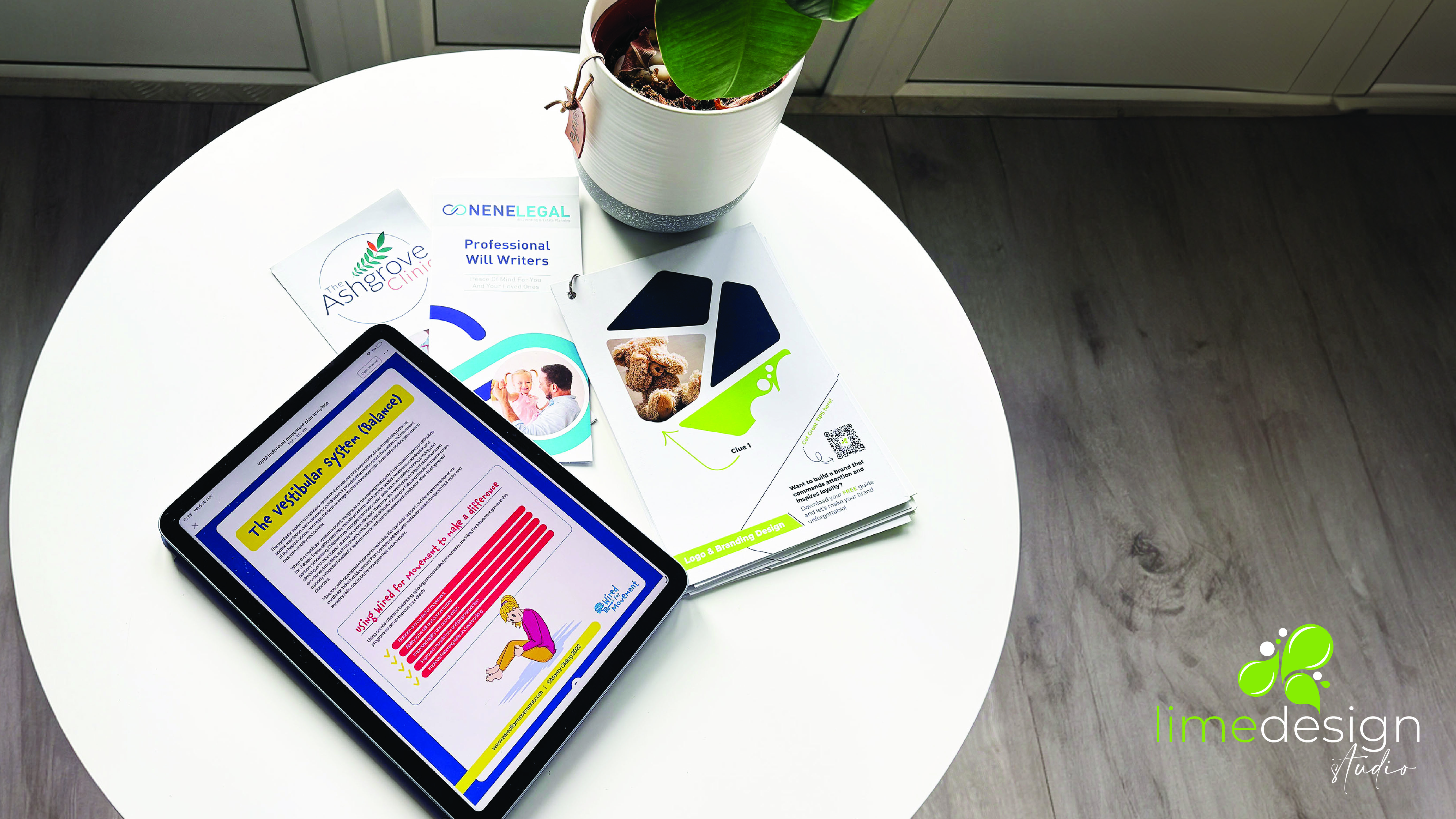
Printed or digital brochure: which is right for your business?
The best choice depends on how your customers will use the brochure. A beautifully printed booklet will not help someone who needs information by email today. A downloadable PDF may be awkward when you want to talk through a product range across a meeting table.
Choose a printed brochure when you need something to hand over, display or leave after a meeting. Choose a digital brochure when people need to receive it quickly, share it with colleagues or access changing information. If your sales process involves both, plan the two versions together.
Here is how to decide what your business needs before the design begins.
What do we mean by a digital brochure?
A digital brochure can take several forms. Ask what you will actually receive because the term alone does not tell you how it will work.
A downloadable PDF is a document people can save, forward and read offline once downloaded. It can contain clickable links and a contents page, while keeping a fixed page layout.
A page-turn viewer displays brochure pages through a website or publishing platform. Some viewers offer additional features but a page-turn effect does not automatically make small text comfortable to read on a phone.
A responsive web brochure presents information in a browser and adapts its layout to the screen. It can suit content that people need to explore on different devices. The webpage build, hosting and maintenance may fall outside of your designer's services so will need to be discussed at the briefing stage.
These are different deliverables. Agree which one you need rather than assuming that every digital option includes the same features.
When does a printed brochure make sense?
Print is useful when there is a clear opportunity to put the brochure into the right person's hands.
That might be a sales meeting, a showroom visit, an exhibition conversation or a targeted postal introduction. The reader can keep it beside a proposal, mark relevant pages or pass it to a colleague without opening a device.
The physical format also gives you choices about size, paper, binding and finish. Those choices should support the information and your brand. A compact booklet might be convenient to carry, while a larger format could give technical photographs and diagrams more room.
Print needs a distribution plan. Before ordering, work out who will receive the brochure, how many you realistically expect to use and how long its information will remain current.
A lower price per brochure is not necessarily a saving if a large proportion becomes outdated before you use it.
When is a digital brochure the better starting point?
Digital is a practical starting point when your brochure will mostly follow an enquiry, support a remote sales conversation or be shared between several people.
A PDF can give everyone a consistent document to refer to. A web brochure can be useful when the information needs to adapt to smaller screens or link directly into the next step, such as a product page or enquiry form.
Updates are another consideration. Replacing a document on your website makes the revised file available to new visitors. It does not update the version someone has already downloaded or received as an attachment.
Give the document a clear version date and decide who is responsible for replacing old links and files. If the content changes frequently, linking to a maintained web page may be more manageable than circulating new attachments.
Digital still needs a distribution plan. Decide where the brochure will be linked, who will send it and what should happen after someone reads it.
Printed and digital brochures at a glance
Your requirement | Printed brochure | Digital brochure |
Hand something over in a meeting | Useful as a physical reference | Useful for sending before or after the discussion |
Share with colleagues in other locations | Requires passing on or posting | A file or link can be forwarded |
Revise information regularly | Existing stock stays unchanged | Hosted information can be revised; saved files remain unchanged |
Read without an internet connection | Available immediately | A downloaded PDF can work offline; web content generally needs a connection |
Read on a phone | A physical document | Test the actual layout; a fixed PDF may need zooming |
Plan the budget | Allow for design, production and distribution | Allow for design, adaptations and any platform or hosting costs |
The table is a starting point. A brochure's usefulness still depends on its content, design and the circumstances in which someone reads it.
Can you use the same design for print and digital?
You can often share the core content, images and visual style. The final files should be prepared for their intended use.
Your printer needs artwork that matches its production specification. Your reader needs a screen version that opens comfortably, displays clearly and has working links. Adobe's guidance explains that PDF export settings control factors such as output quality and file size.
For a PDF, ask your designer to consider single-page reading, useful navigation and a sensible balance between image quality and download size. Test the result on a phone as well as a desktop screen.
A wide spread containing small text may work well in an open booklet and feel frustrating on a phone. Sometimes a separate layout or a responsive page is the more useful choice.
Tell your designer that you need both formats before the layout is agreed. That lets the work be scoped properly and reduces the chance of discovering a second requirement at the final artwork stage.
What about brochure sizes, folds and binding?
Choose the format around the amount of information and where the brochure will be used.
A folded sheet can work for a short introduction. A booklet may be more appropriate when you need separate sections, product information or several project examples. A4 and A5 are familiar options but neither is automatically right for every business.
Ask to see the design at its actual finished size. Check whether the text is comfortable to read, diagrams remain useful and the brochure fits any display holder or envelope you plan to use.
For print, confirm folds, binding and the page count with the designer and printer before committing to a layout. Production requirements vary, so avoid treating a screen preview as a finished physical proof.
If you are still deciding what information belongs in the brochure, our guide to what to include in a company brochure gives you a practical starting point.
Is a digital brochure automatically cheaper?
A digital brochure avoids the cost of manufacturing and posting printed stock. It still needs design plus additional layouts, navigation, accessibility work or a publishing platform can add to the scope.
Compare the whole requirement. For print, ask about quantities, paper, proofing, delivery and future reprints. For digital, ask which files or web pages are included, who maintains them and whether there are recurring charges.
If you need both, request that in the same brief so the quotation explains the work involved. The cheapest format to distribute is not necessarily the one that best supports your sales process.
You can read more about the cost of brochures by reading our article on How Much Does Brochure Design Cost in the UK?
Think about accessibility from the start
A digital file is not automatically accessible. A PDF may need structured headings, a logical reading order and descriptions of meaningful images so that people using assistive technology can understand it. Adobe describes these as core elements of accessible PDFs.
Printed material also needs care with text size, spacing, contrast and uncluttered layouts.
For information primarily read online, consider whether an HTML web page would serve the audience better. GOV.UK's document guidance recommends HTML wherever possible. That is useful format advice rather than a reason to assume every customer needs the same solution.
Discuss your audience's requirements before design starts. Make accessibility and any testing requirements part of the agreed scope.
What if your business needs both?
Give each format a clear role.
For example, a manufacturer might use a printed overview in sales meetings and link to current product specifications online. An HR consultancy might send a concise PDF after an enquiry and use a printed booklet at selected events.
Keep the business name, visual style and core message consistent. Put frequently changing details somewhere you can maintain them and give people a clear route to that information. If you use a QR code in print, include a readable web address too and test both before production.
The aim is to make the next step convenient in the situation where the reader encounters your brochure.
What should you put in the design brief?
Explain who the brochure is for, where they will receive it and what you want them to do next. Say whether it will be read in print, on a phone, on a desktop screen or in several of those situations.
Include your deadline, likely print quantity, available text and images, expected updates and any accessibility requirements. Agree the deliverables and who will approve the information.
You do not need to arrive with the format already decided. A clear account of how the brochure will be used gives your designer a better basis for recommending one.
Need help choosing a brochure format?
Lime Design Studio designs printed brochures and e-brochures for businesses. Tell us how you plan to use yours, what information it needs to contain and when you need it.
Explore our brochure design service to discuss the right approach for your project.