
What do you need to include in a brochure?
6 min read
A company brochure should explain what your business does, who you help and why someone should choose you. Include your main products or services, relevant images, evidence such as client feedback or project examples and a clear way to get in touch.
The tricky part is deciding how much detail belongs in it.
You know your business inside out, so it can be tempting to include every service, every achievement and your entire company history. But someone picking up your brochure may simply want to know whether you can help with the job they have in mind.
Here’s how to choose the content for a company brochure that gives that reader what they need.
Start with who will read your brochure
Before you write anything, think about where the brochure will be used and what the reader already knows.
Will you hand it out at an exhibition? Send it after an enquiry? Leave it with a prospective client after a meeting?
An exhibition visitor may need a quick introduction. Someone considering a proposal may need more detail about your capabilities and experience. Those are different jobs, even if the brochure is for the same business.
Decide what you want the reader to do next. That will help you choose what deserves space.
1. A cover that explains what you offer
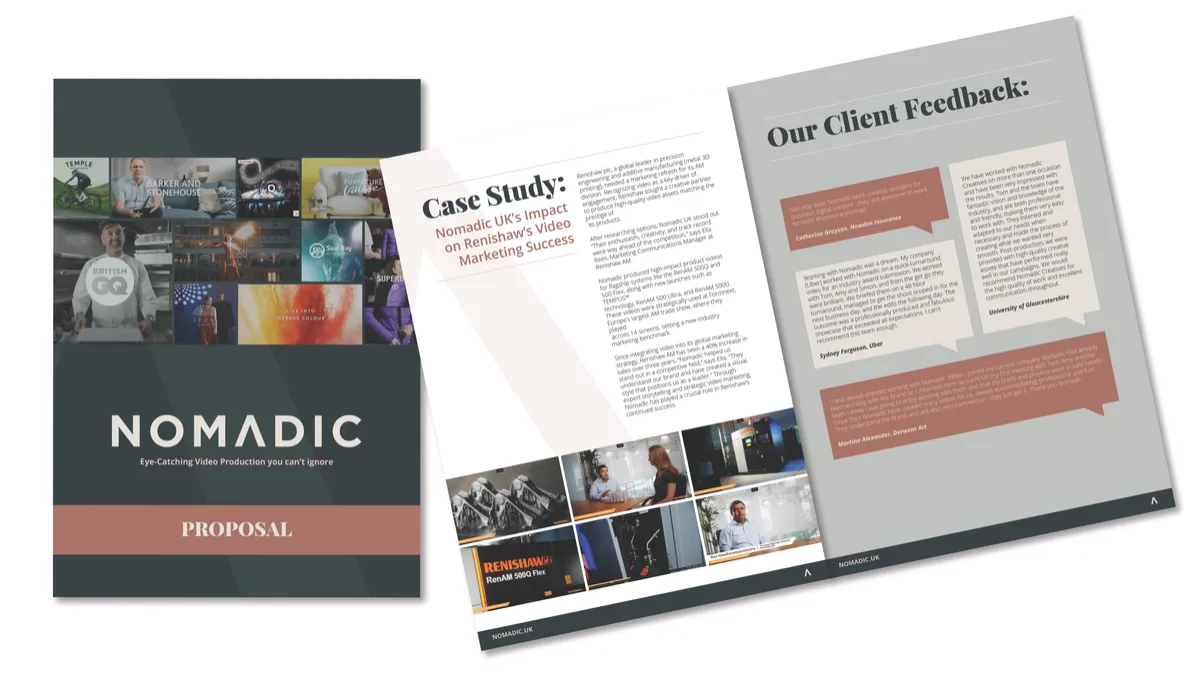
Your logo belongs on the cover, but a company name on its own may not explain much to someone who hasn’t heard of you.
Add a clear headline and an image that helps the reader understand what the brochure is about. For example, a manufacturer could use a photograph of a finished component alongside a description of the work it produces.
The cover should give the right person a reason to open it.
2. A short introduction to your business
Explain what you do, who you work with and where you operate if location matters to the customer.
Keep your company history in proportion. Years of experience can help establish credibility, but the reader also needs to understand how that experience will help them.
Read your introduction from a potential customer’s point of view. Could they explain what you offer after reading it once?
3. Your main products or services
Group your offering into sections that make sense to the buyer. Give each section a clear heading and explain what the product or service helps them achieve.
For example, “technical datasheet design” names a service. Explaining that it helps customers find and compare product specifications makes its purpose clearer.
You don’t need to give every service equal space. Focus on the work that is most relevant to this brochure’s audience. Detailed specifications or a full product range may be better suited to separate datasheets or a catalogue.
4. Evidence that supports what you say
If you describe your business as experienced, reliable or specialist, help the reader see why.
Useful evidence could include:
A short project example explaining the requirement and what you delivered
A relevant client testimonial, used with permission
Current accreditations or qualifications
A specific result you can substantiate
Choose evidence that relates to the work you want this brochure to generate. A relevant example can help a potential customer picture how you would approach their requirement.
5. Images that help explain your work
Use images with a clear purpose. These might show a product in use, a completed installation, your team at work or a detail that matters to the buyer.
A technical diagram may explain something more clearly than a long paragraph. A photograph of a finished project can show what you mean by a particular finish or application.
Supply the original image files where possible so your designer can check their suitability for the size and format. Screenshots and small website images may not reproduce clearly in print.
6. What happens next when someone enquires
If customers are unfamiliar with your service, a brief explanation of your process can make the next step easier.
You might explain that you begin with a discussion, arrange a site visit or ask for a specification before quoting. Only include steps that reflect how you actually work.
You don’t need your full internal procedure. Give the reader enough information to know what to expect.
7. A clear next step and contact details
Tell the reader what to do next. “Request a quotation”, “Arrange a visit” or “Discuss your project” can be more useful than a general “Find out more”.
Include the contact details needed for that action and check that they are easy to find. A QR code can link a printed brochure to a relevant web page, but include a readable website address too. In a digital PDF, make links clickable and test them.
A brochure example from Lime
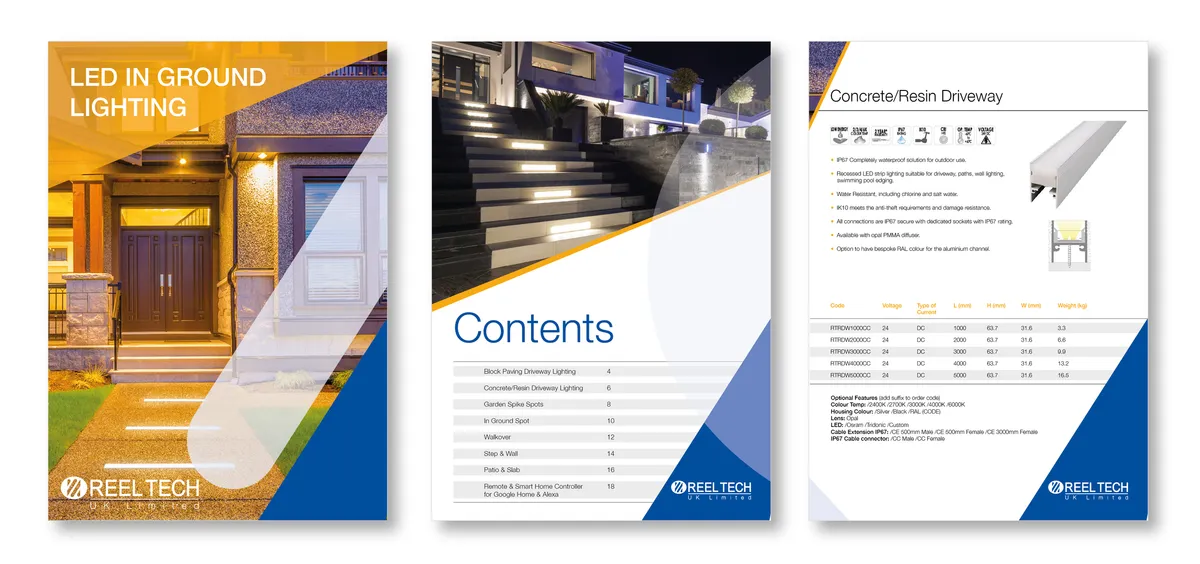
Our brochure for Reeltech UK shows how different types of information can work together. The cover identifies the business and it's lifting solutions. Inside, product photographs sit alongside a labelled component diagram and examples of where the equipment is used.
Those elements answer different questions. The photographs show the product, the diagram explains its parts and the application examples give the reader context.
For your own brochure, consider which questions need a written explanation and which would be easier to answer with an image or diagram. The Reeltech brochure is in our design portfolio, along with some of our other designs.
An example company brochure page plan
For an eight-page company brochure, you could use this as a starting point. The eight pages include the front and back covers.
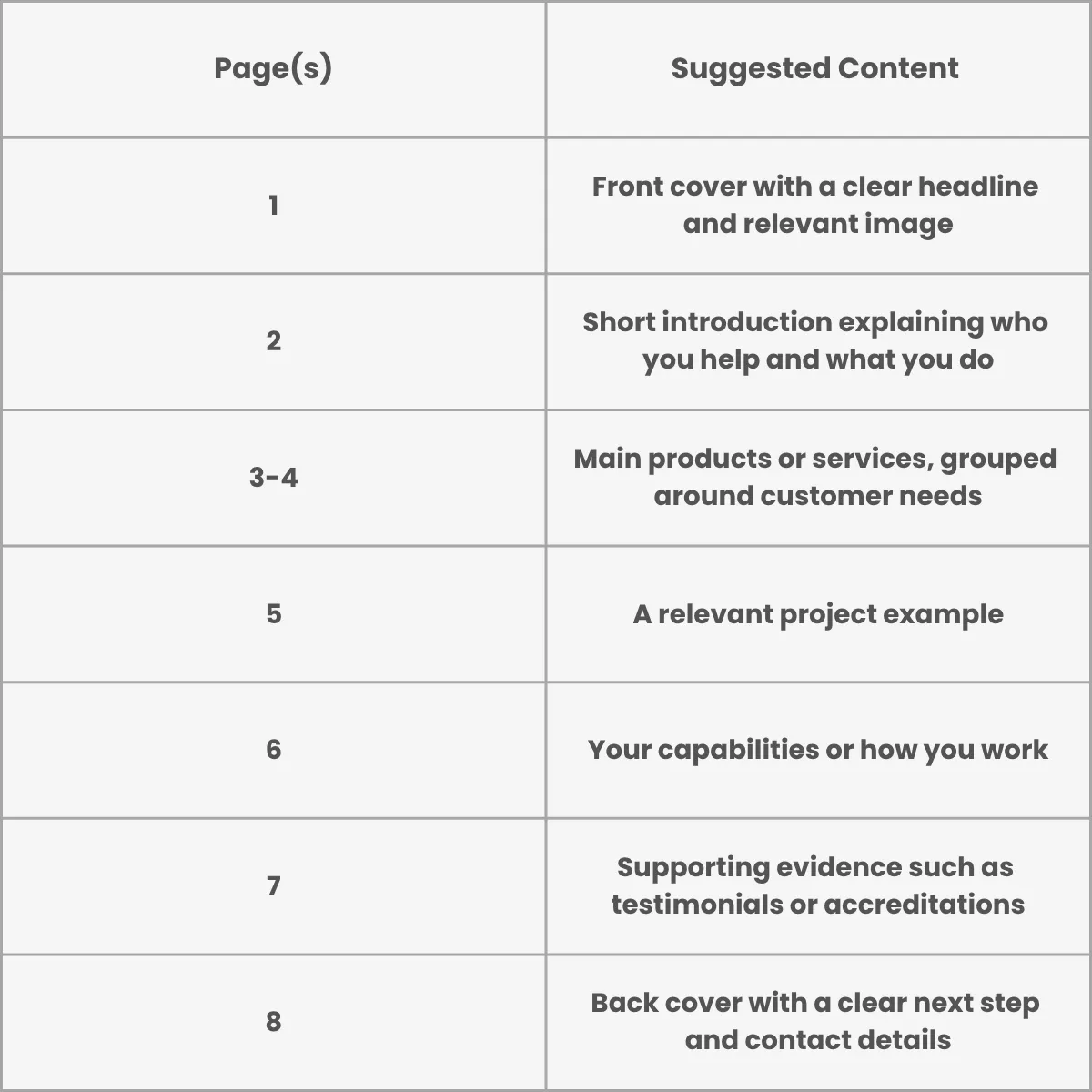
This is a suggested structure rather than a fixed formula. A product brochure may need more space for specifications, while a company overview may need less detail about individual services.
What are the essential parts of a brochure?
If you need a quick checklist, start with these five areas:
1. Your business name, logo and a clear cover headline
2. A brief introduction explaining who you help
3. Your main products or services and their benefits
4. Relevant images and evidence of your work
5. Contact details and a clear next step
These are content areas, rather than a fixed number of pages. A short folded brochure may combine them, while a longer company brochure can give each area more space. Keep the colours, fonts and logo use consistent with your other business materials.
What can you leave out?
Look for repeated points, long background sections and information that doesn’t help the reader decide whether to contact you.
Prices, team details and statistics can date quickly. If you include them, plan how you’ll keep the brochure current. You may prefer to link to information that changes regularly.
Give the content room to breathe. If everything feels squeezed in, review what you’ve included before making the text smaller.
Need help bringing your company brochure together?
At Lime Design Studio in Rushden, Northamptonshire, we design company brochures, booklets and sales materials for businesses across the UK.
If you’re planning a new brochure or updating an existing one, we can help you organise the content and create a design that fits your brand and is easy to follow.
Explore our brochure design service or call 01933 328792 to discuss what you have in mind.
Ready to Elevate Your Brand? Let's Chat.
Whether you need ongoing design support or a full brand refresh, we’ll take care of the visuals so you can focus on growing your business.
Contact us
Lime Design Studio -
Graphic Design & Branding
Office 3a, Knights Farm, Newton Road, Rushden, Northamptonshire NN10 0SX
Email: [email protected]


Lime Design Studio providing graphic design and branding in Rushden, Northampton, Milton Keynes, Leicester, Kettering and across the UK.
Copyright 2026 Lime Design Studio Ltd.